
MirAI: A Lightweight Personal AI Assistant
MirAI is a simple, lightweight, and responsive web interface for direct interaction with Google Gemini API. Built without heavy frameworks for super fast performance.
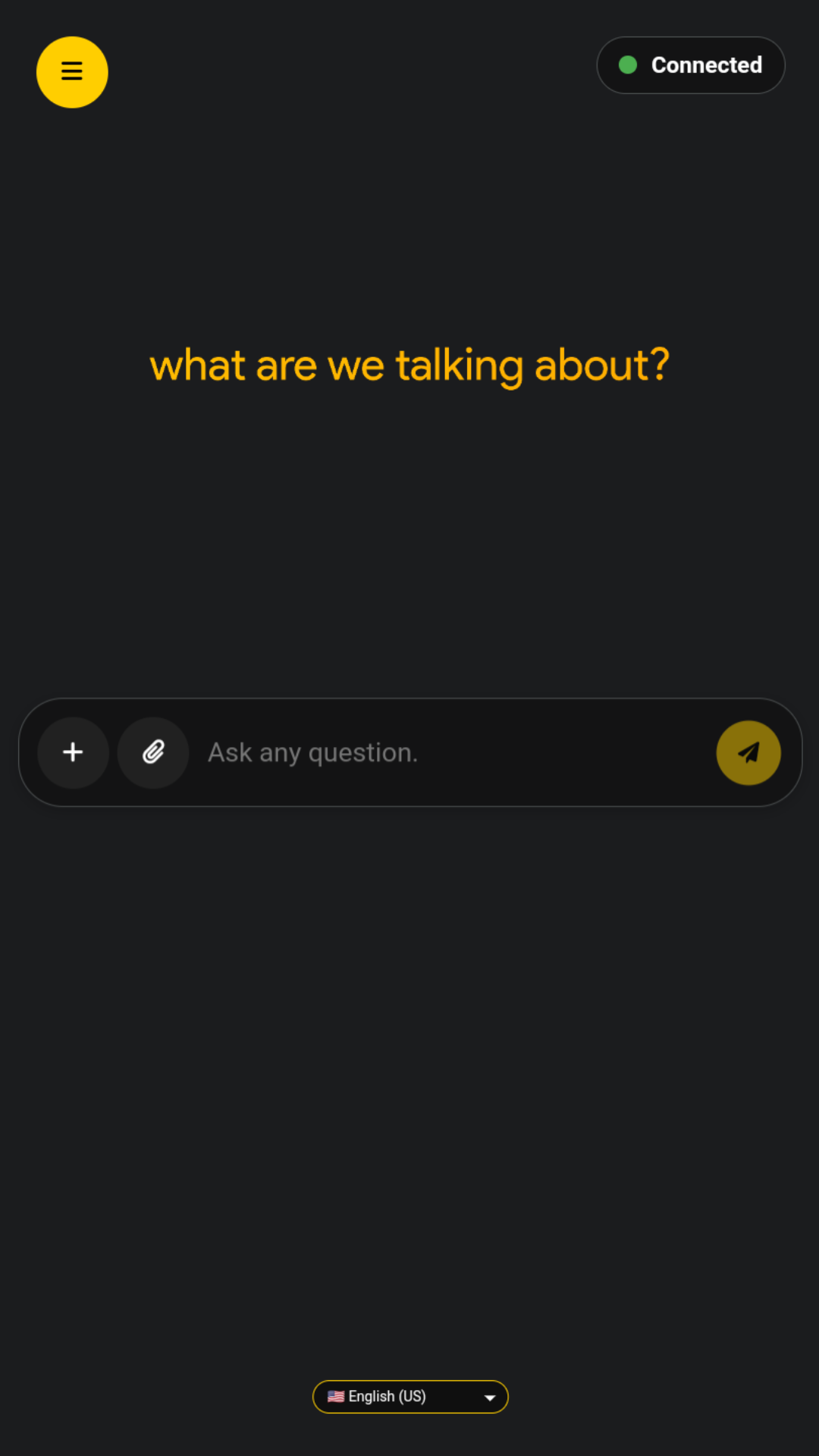
MirAI Interface View (v2.11)
✨ Key Features (The Good Stuff)
💾 Session Persistence
Your conversations are automatically saved in the browser. You can continue chatting whenever you want! (Saved in local storage).
🎭 Customizable AI Persona
Choose AI personality: Default (Relaxed & Casual), Formal, or Creative. Get results according to your needs.
🌐 Multi-language Support
Available in Indonesian, English (US & UK), and Japanese.
🚀 Enhanced Slash Commands
Use the '+' menu or type commands like /translate, /summarize, /code, and /fix for specific tasks. Faster and more focused!
🖼️ Multimodal Input
Support for image uploads (JPEG, PNG, WebP) along with text prompts, thanks to Gemini's multimodal capabilities.
🔊 Text-to-Speech (TTS)
Click the speaker icon to listen to AI responses read aloud in the selected language. Perfect for multitasking!
📤 Backup & Restore
Export chat history and settings to encrypted .medf or plain .mdf/.json files. Import later or on another device.
📲 Progressive Web App
Install MirAI as a native-like app on your device (Android) with offline capabilities and push notifications.
🔒 Encrypted Config System
Secure .medf file format with authenticity signatures for API key storage and data backup.
🔄 Model Switching
Support for both Gemini 2.5 Flash (stable) and Gemini 3 Flash Preview (beta) models via URL parameters.
🛑 Stop Generation
Immediately halt the AI's response when needed. Full control over ongoing conversations.
⏰ Time-aware Context
The AI knows the current date and time for more relevant and contextual answers.
🎨 UI/UX Design: SuperRoundedUI (SRUI)
"Flat never felt this round."
MirAI's visual design is powered by SuperRoundedUI (SRUI), an exclusive design system from Allwaysever™ that emphasizes:
- Rounded Corners: Consistently using 25px border-radius.
- Smooth Transitions: Providing a comfortable visual experience.
- Clean Layout: Focus on ease of use (usability) across various devices (responsive).
- Blur Effects: Using
backdrop-filterfor a modern and premium look.
.png)
💻 Tech Stack: Lightweight and Fast
This project is built purely with basic web technologies (Vanilla Stack) without heavy frameworks to ensure speed and efficiency.
HTML
The Skeleton
Clean and semantic basic structure.
CSS
The Style (SRUI)
Implementing SuperRoundedUI and comfortable Dark Theme.
Vanilla JS
The Brain
Efficient and fast client-side interaction logic.
Gemini API
The Core Model
Using gemini-2.5-flash & gemini-3-flash-preview models.
Additional Libraries & APIs
⚡ Advanced Features
📤 Backup & Restore System
MirAI features a comprehensive backup system that allows you to:
- Export entire chat history, settings, and preferences
- Use Encrypted Format (.medf) with password protection and authenticity signatures
- Use Plain Format (.mdf/.json) for easy inspection
- Cross-device Sync to move your MirAI data between devices
🔒 Security Features
- .medf Encryption - Proprietary encrypted data format for secure API key storage
- Authenticity Signatures - Ensures backup files are genuine and untampered
- API Key Visibility Toggle - Show/hide your API key in settings
- Public API Limiter - Prevents abuse of the default public API key
📲 Progressive Web App (PWA)
- Installable - Add MirAI to your home screen like a native app
- Offline Support - Service workers enable basic offline functionality
- Push Notifications - Get notified about updates via OneSignal integration
- Fullscreen Mode - Immersive experience without browser UI
⚡ Performance Optimizations
- Splash Screen - Professional loading screen with progress bar
- Chat History Limiting - Automatically trims old messages (50-message limit)
- Abort Controller - Cancel ongoing AI responses instantly
- Debounced Input Handling - Efficient suggestion system without performance lag
🛠️ Setup Guide (API Key)
For the best performance and security, you are highly recommended to use your own Google Gemini API Key. The process is easy!
Step 1: Getting API Key
- Open Google AI Studio at https://aistudio.google.com/.
- Sign in with your Google account.
- Click "Get API Key" in the sidebar.
- Then, click "Create API key" and create a key in an existing project.
- Copy the created API Key. This key is confidential, don't let it leak!
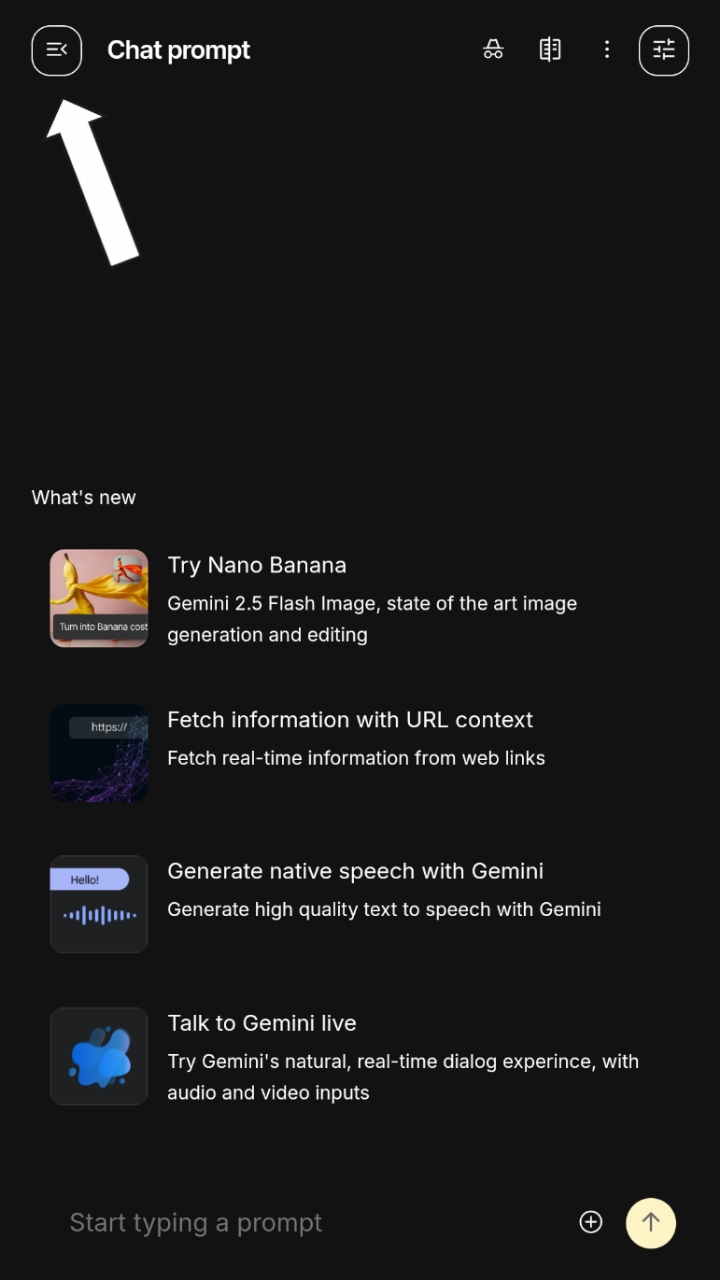
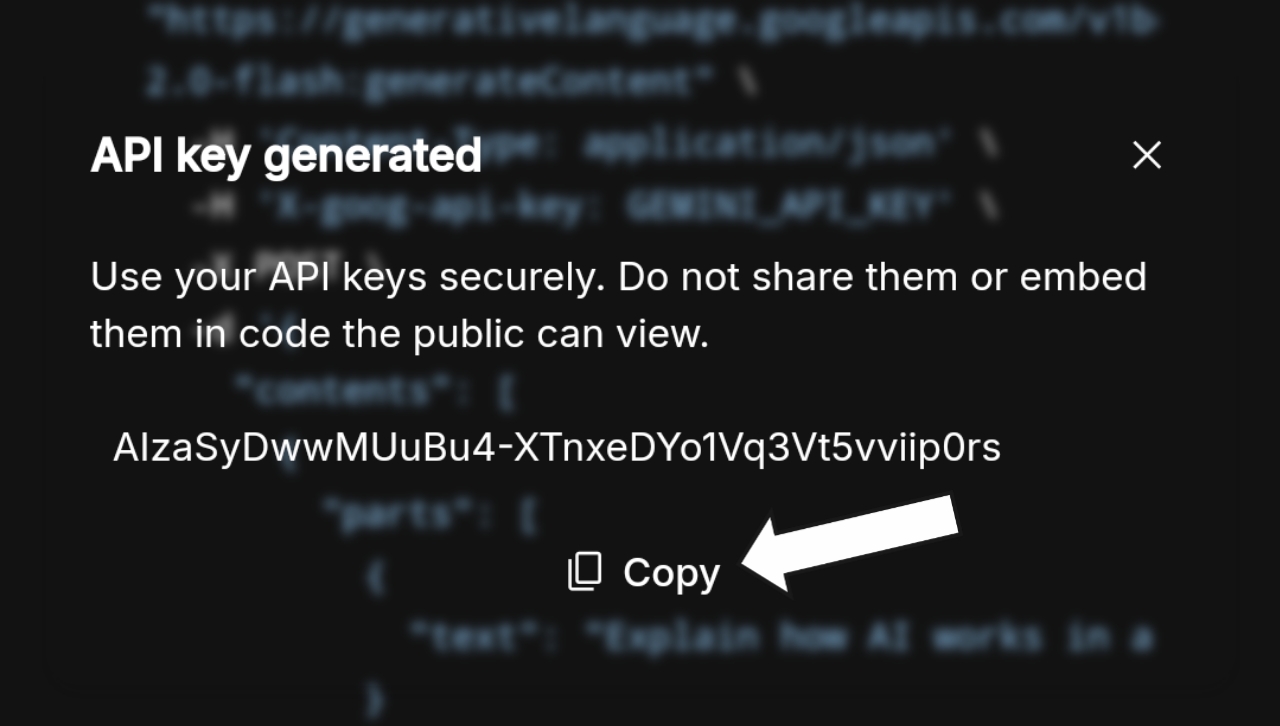
Step 2: Entering API Key into MirAI
- Open the
MirAI.htmlfile or MirAI Web. - Click the menu icon in the top left corner to open Settings.
- Find the API Key section.
- Paste the API Key you copied.
- Click the "Save Key" button.
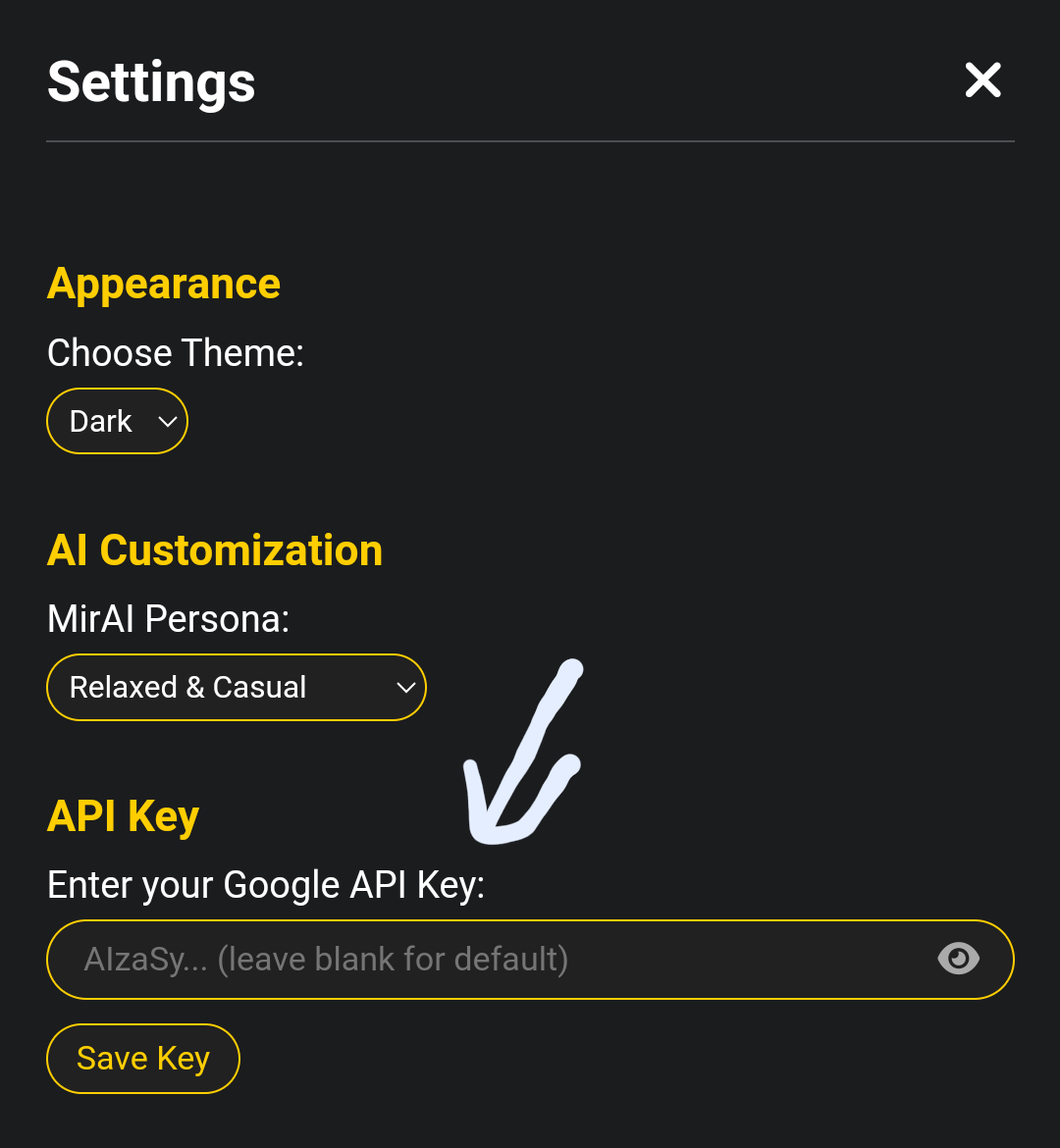
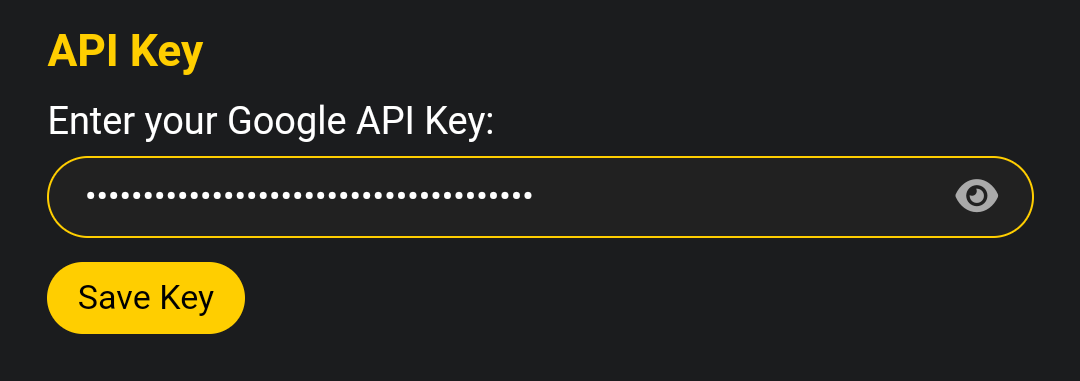
Done! MirAI is ready to use with your personal API Key.
📚 Documentation & Further Information
Want to know more? Check out these documents!
📄 License
This project is licensed under the Apache License 2.0.
📝 Note: The .medf (MirAI Encrypted Data Files) format specification is an original innovation by Allwaysever. While the implementation in this repository is open source, we encourage developers to respect the branding and integrity of this format.
⚠️ Important: The default public API key has usage limits. For uninterrupted access, please use your personal API key as described in the setup guide.